Browse help topics
Build prep sheets
Choose your clients in Build prep, see what the build adds to your bill, and confirm. Taxably reads their documents and writes each client's sheet.
- Applies to
- Taxably Connect 3.3.9 and later
- Last reviewed
On this page
Build prep sits at the top of every screen. It is the one press that prepares clients. Every other Build button, on Home, the Clients table or a client's page, opens it with that client already ticked, so you always see the price before anything is read.
At least one folder of clients is connected. See Connect your client folders.
Build
- Press Build prep. You see every client Taxably found, with their connected folder, documents and status.
- Tick the clients you want, or the box at the top to tick them all.
- Press Check selection. Taxably names any client it cannot build yet, and why, such as an empty folder or a client already building.
- Read the price line, then press Activate and build.
Opens
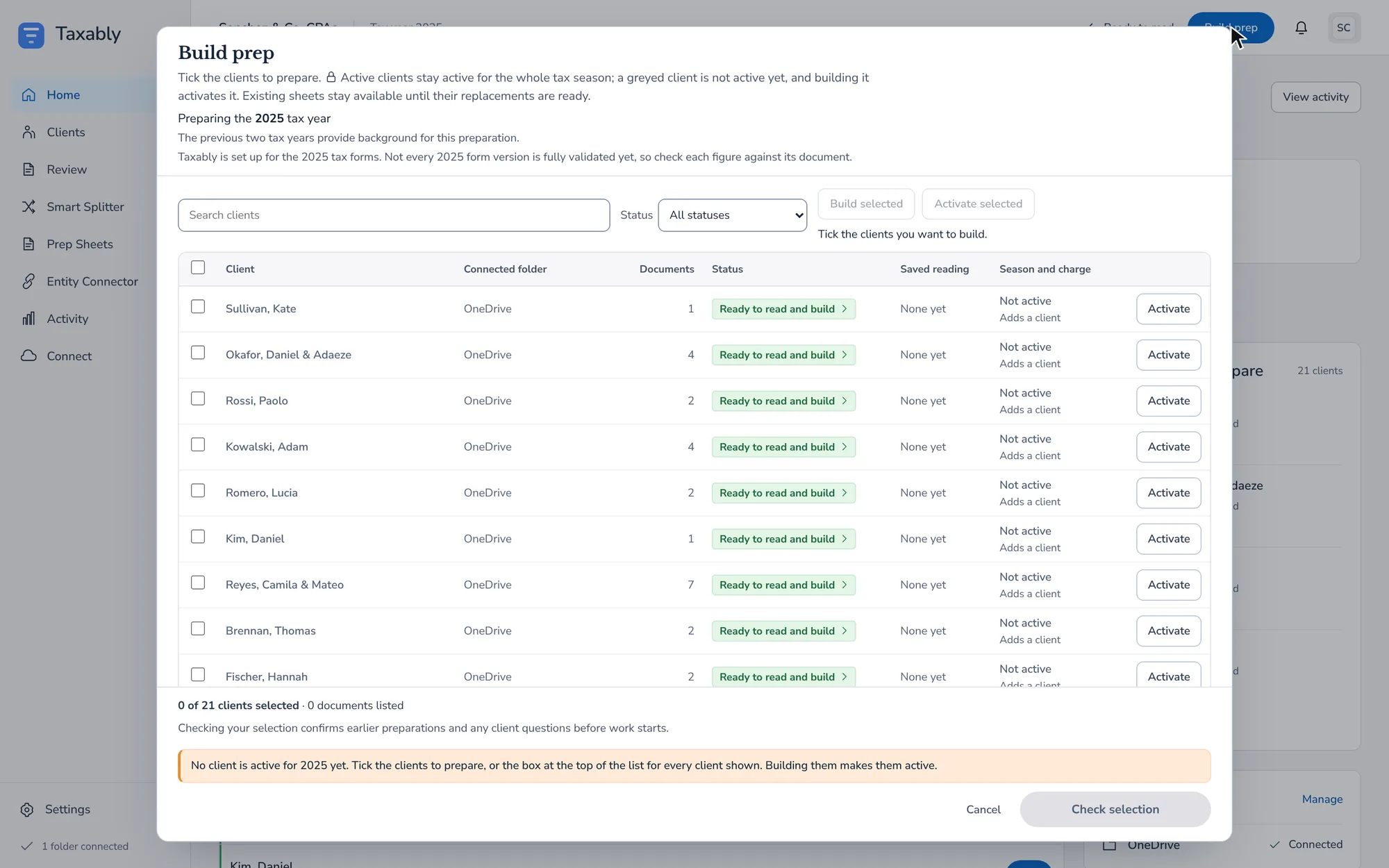
Every client Taxably found, with its folder and status.
Ticked
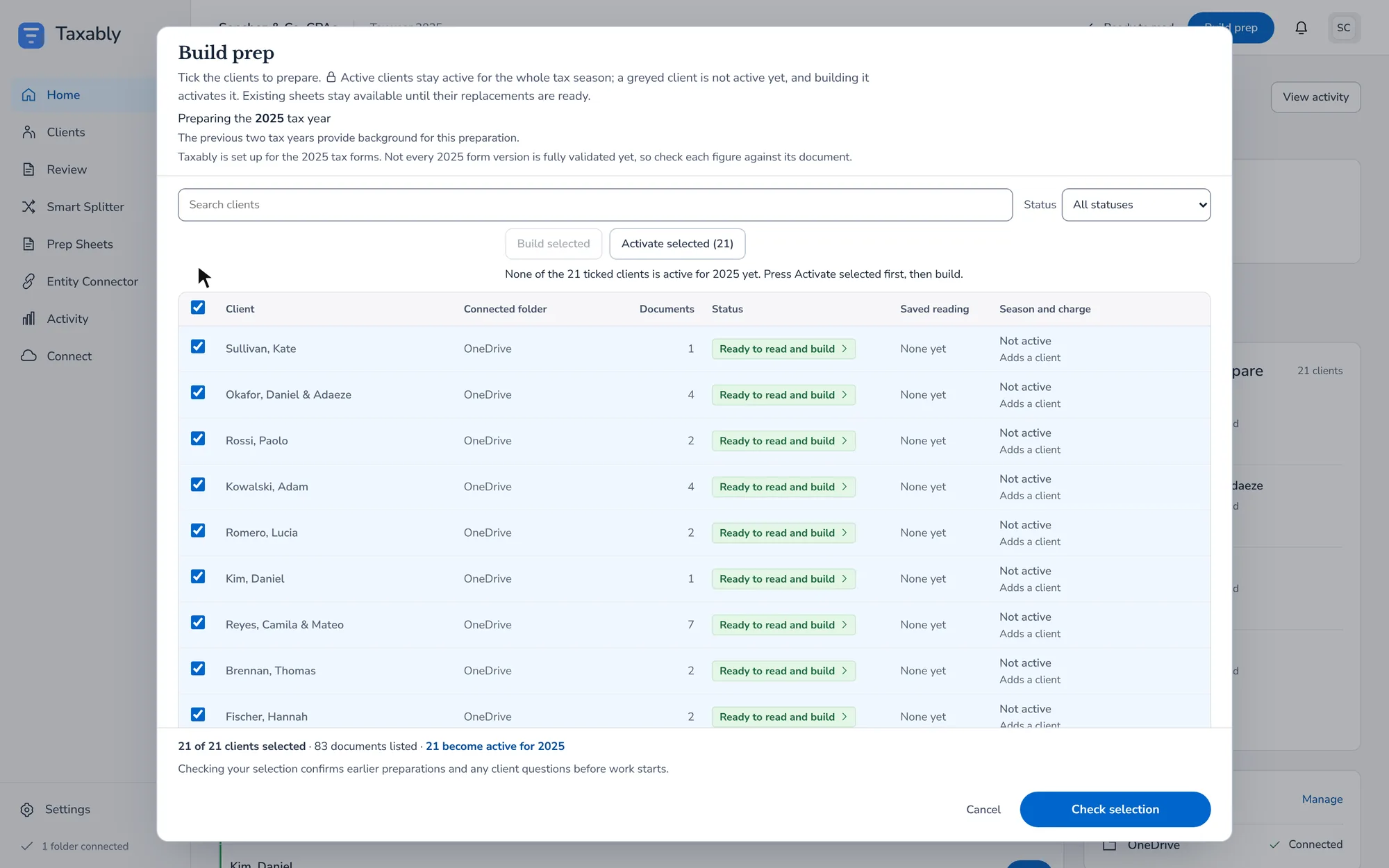
The box at the top ticks every client shown.

While it runs
Home follows each stage: Gathering, Reading, Sorting, Checking, Preparing. Pause and Stop sit in the top bar while a build runs. Stop says what it stopped and what it kept; sheets already delivered stay.
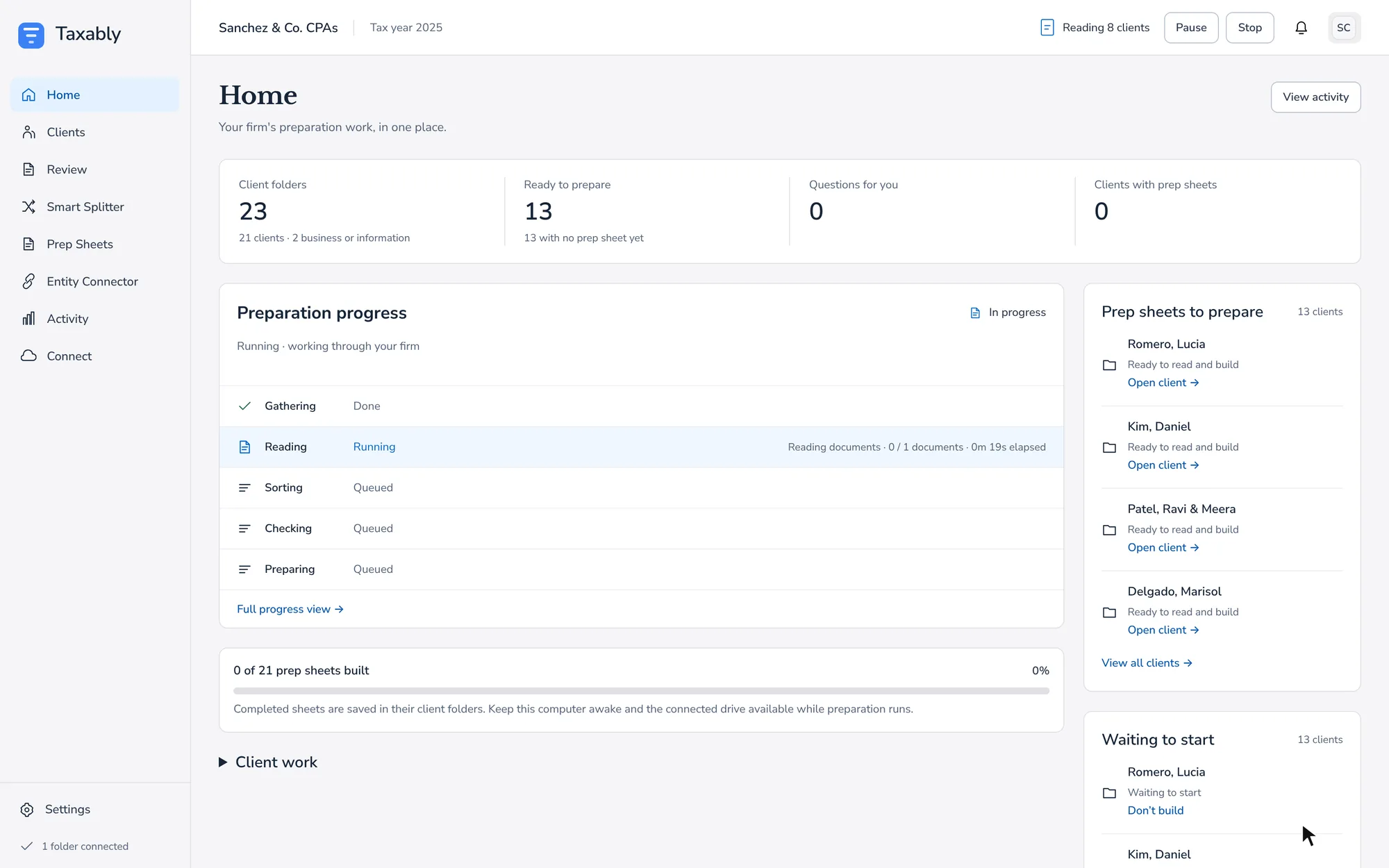
When it finishes, clients with nothing to ask about have a sheet in their folder. Clients with questions are listed on the Review screen.
Which tax year
Taxably prepares last calendar year's returns. To prepare another year, press Change on the year line at the top of Build prep. A year whose form versions Taxably has not checked is marked "form versions not set up", and its sheets say so.
What it costs
The price line says what this press adds to your bill, worked out from your firm's own rates and the clients already charged this year. A client is charged once per tax year, however many times you build it. See Pricing, and how builds are charged.
Related articles
- Manual or Auto-pilot, and when builds startTwo settings decide when sheets appear. Automation says what happens to a client with open questions; Building says when Taxably starts on its own.
- Rebuild a client or read documents againA normal build reuses what Taxably already read. When you need a fresh start, Build prep offers two heavier choices, and asks why first.
- Pricing, and how builds are chargedYou pay for the clients you build, once per client per tax year, and Build prep shows what a build adds to your bill before anything is read.
- Answer Taxably's questionsWhen the paperwork cannot settle something, Taxably asks you instead of guessing. Answer once and the answer is kept.
Still stuck?
Email support@taxably.ai, or send your question from Help and support.