Browse help topics
Your records on this computer, and Reset
Every build leaves a record of what Taxably read, kept on this computer. Reset starts Taxably over, and says what it removes and keeps before you press it.
- Applies to
- Taxably Connect 3.3.9 and later
- Last reviewed
Your records
A build leaves more than a PDF. Taxably keeps a record of the client's year on this computer: every document with its form, issuer, year and whose it is, the figures read off it, the questions it raised and the answers given. That record is what lets a rebuild skip documents that have not changed, carry last year's balances forward, and answer your AI assistant.
The records are kept apart from your client folders, never mixed with another firm's, and never sent to Taxably. Settings > Privacy says how the folder that holds them is protected on this computer. Use your firm's own drive protection and backups for that drive.
Before you Reset
Reset is for starting Taxably over on this computer, for example before handing the computer to someone else. Most problems do not need it: try When something goes wrong first, or ask support.
What Reset removes and keeps
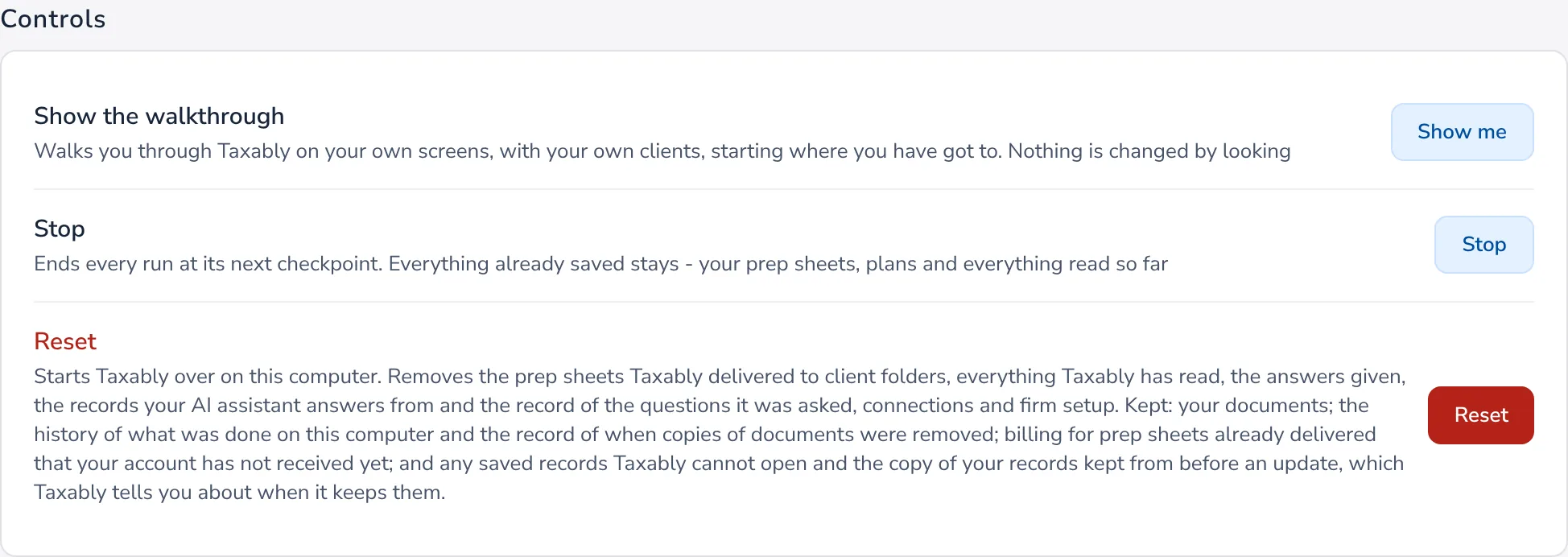
Removes: the prep sheets Taxably delivered to client folders, everything Taxably has read, the answers given, the records your AI assistant answers from and the record of the questions it was asked, your connections and your firm setup.
Keeps: your documents, the history of what was done on this computer, and billing for sheets already delivered that your account has not received yet. Records Taxably cannot open are kept too, and Taxably tells you when it keeps them.
Reset Taxably
- Open Settings and find Reset under Controls. Read the description under it; it is the up-to-date list.
- Press Reset, then press it again to confirm.
Taxably starts over. Connect your folders and build again when you are ready.
Related articles
- What leaves your computer, and what staysYour documents, records and prep sheets stay on your computer. Each document's pages go from there to the reading provider to be read, and our servers are not on that path.
- Connect your AI assistantLet an AI assistant on the same computer, such as the Claude desktop app, answer questions about your built clients and suggest what to do next. Nothing changes until you approve it.
- Unlink or change computersYour firm links one computer to Taxably at a time. Unlink the old one and link the new one; nothing is deleted from either.
- Contact supportEmail support@taxably.ai or send the form on the Help and support page. A summary from Taxably Connect helps us answer faster.
Still stuck?
Email support@taxably.ai, or send your question from Help and support.