Browse help topics
Where prep sheets are saved, and when they update
Each sheet is saved in its client's own folder, in Taxably Prep under the tax year. It is rebuilt when something changes, and only then.
- Applies to
- Taxably Connect 3.3.9 and later
- Last reviewed
On this page
Where
Every sheet goes into the client's own folder, in a Taxably Prep folder for the tax year. There is no setting to save it anywhere else, and Taxably does not send it anywhere else. The sharing on that folder applies to the sheet, and if the folder syncs to your portal or cloud storage, the sheet goes with it.
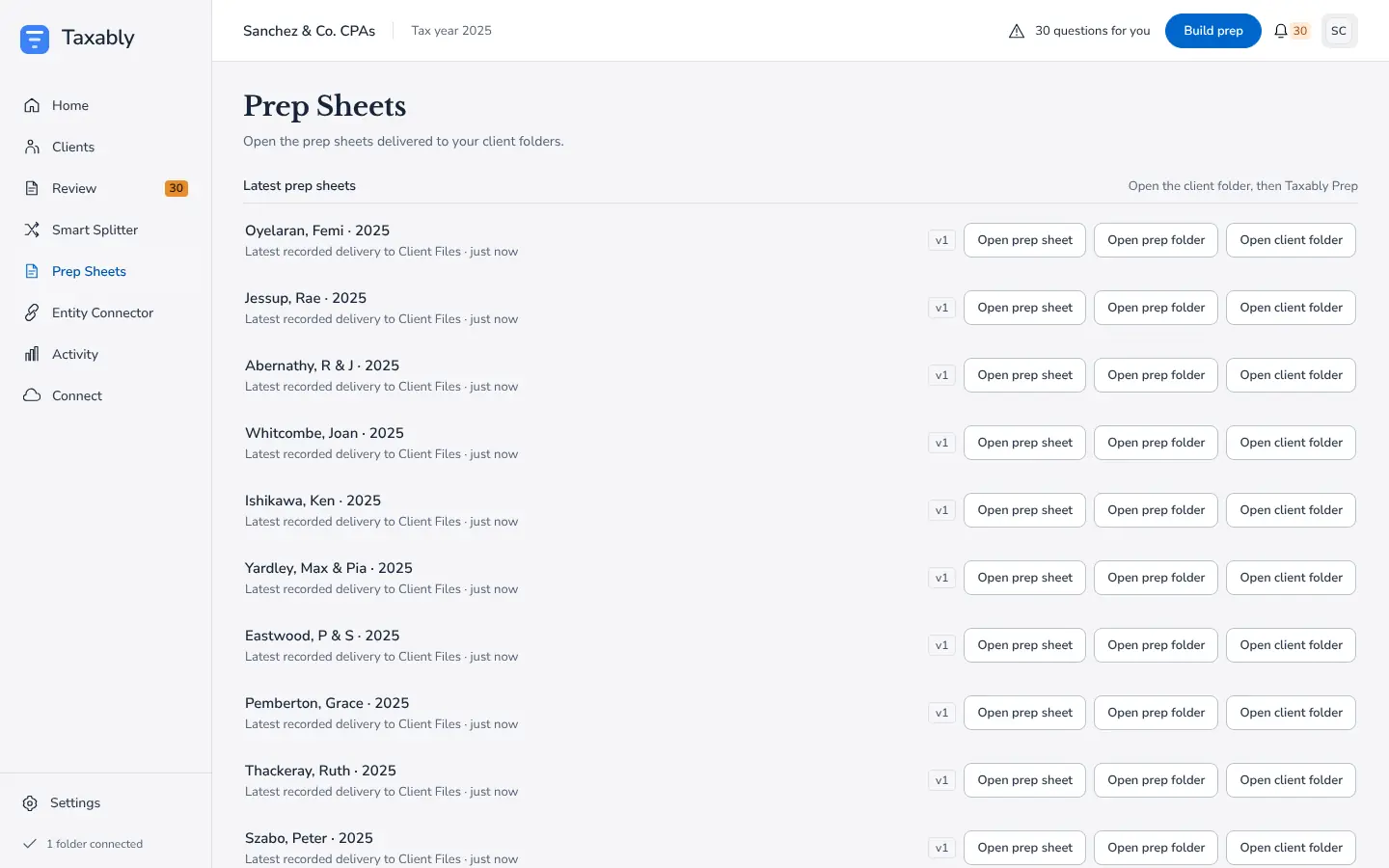
The Prep Sheets screen lists every delivered sheet with its tax year and version, and three presses: Open prep sheet, Open prep folder and Open client folder.
The status file
While a sheet is out of date, unfinished or being built, a short PDF beside it, Taxably - Prep sheet status, says so in plain words, with the counts and the last few changes. It goes away once a current sheet is saved. Anyone opening the folder can tell at a glance whether the sheet is current.
When it updates
On Manual, which is how Taxably starts, a sheet is built or rebuilt when you ask: when you press Build prep, or when you answer the last question about that client.
On Auto-pilot it is rebuilt on its own once nothing in the client's folder has changed for the settle wait, 12 hours unless you choose a shorter one in Settings.
A client whose documents and answers have not changed keeps its sheet and is not charged again. Its card and the Activity screen say "No changes found since the last prep sheet".
Related articles
- Read a prep sheetOne PDF per client per tax year, with every document the client sent, filed by section, the figures Taxably read, and what still needs you.
- Manual or Auto-pilot, and when builds startTwo settings decide when sheets appear. Automation says what happens to a client with open questions; Building says when Taxably starts on its own.
- Work from a shared or synced driveTaxably reads client folders on a network drive or in a cloud storage folder the same way as local ones, and copies only what a build needs to this computer.
- Rebuild a client or read documents againA normal build reuses what Taxably already read. When you need a fresh start, Build prep offers two heavier choices, and asks why first.
Still stuck?
Email support@taxably.ai, or send your question from Help and support.